Digital Disposable Cameras

Every once in a while I see a new app that really makes me wonder about a lot of things. Recently I read about a disposable camera app by Photojojo for your smartphone. The app allows you take 27 exposures and submit them for printing, all without seeing any of the images.  Then you have to *gasp* wait ~10 days to receive the hardcopy printed images.  The app is free, but you have to pre-pay $12.99 for printing and delivery.

The advertisements appeal to our sense of nostalgia for the good old days when we took our time to take an exposure and then had to wait and see how the pictures turned out.  I suppose the element of surprise and anticipation is mixed in too.  Here’s where I really start to wonder: Does anybody miss waiting for pictures to get developed?  I thought people enjoyed the instant gratification of seeing the picture right away.  Additionally this is useful to ensure you captured the photo you need.  And people who care about taking time to take a picture will do that regardless of a disposable app.

As a child my parents always restricted the number of pictures we could take on vacation, mostly because of the cost.  I was excited about digital cameras because all of a sudden I could take as many pictures as I wanted.  I certainly wouldn’t appreciate using a digital app that limited my picture taking.  Definitely not something I ever feel nostalgic for.

Some of the promotions also push DIY projects you can do with the printed images.  I’d just like to mention that I’ve seen my fair share of physical photo chaos and disorganization.  Who doesn’t have a shoebox, drawer, bag, box, etc. of old printed photos still in the original envelope from the store with all the negatives?  I sincerely doubt the novelty of receiving printed photos from a disposable digital app is going to motivate people to get creative with their photos, or to start organizing them properly.  And if you did want to get creative with printed images, wouldn’t you want to pick and choose which ones are worth the money to print?

As I mentioned in an earlier blog on Digital Scrapbooking, numerous apps are available for DIY digital photo projects.  Other than marketing to nostalgic hipsters, I’m not really sure why this app would be appealing.
Digital Photos: Synchronization

Now that so many devices come equipped with cameras, it’s easy to capture moments anytime, anywhere.  However, the ease with which we can now take photos creates some new challenges:

  • Volume – time consuming to sort and organize photos/videos. (posted previously)
  • Synchronizing – being able to access all the photos in one place, or from multiple devices.

Synchronizing photos can be complicated and depends on a number of factors.  This posting focuses on using My Photo Stream to sync photos between Apple products using “Camera Roll” and “My Photo Stream.”  Apple recently introduced another way to sync but it’s still in Beta so I’ll figure it out later.

I should also note that the following described here only works when you are hooked up to wi-fi all the time.

The main players:

  • Camera Roll is unique to your device (iPad or iPhone) and can be organized into Albums.
  • My Photo Stream* is in the iCloud and contains the last 1000 photos you took for 30-days so you can “sync” them (aka download) to another device and/or computer.  Must have wi-fi to upload. This is NOT back up for your photos.
  • iPhoto is photo storage on the computer.

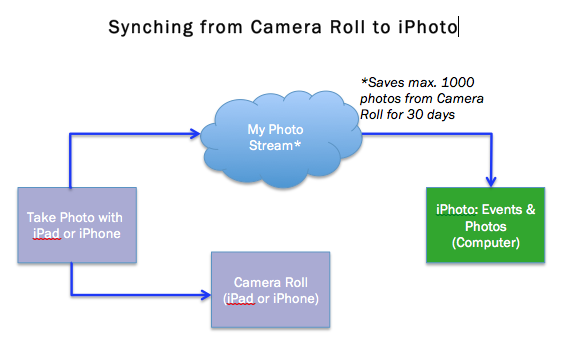
When My Photo Stream is activated and you have a wi-fi connection, photos taken with an iPad/iPhone are automatically saved in the Camera Roll and My Photo Stream.  From iPhoto the My Photo Stream photos can be manually or automatically imported.

Flowchart of how to synchronize between Camera Roll and iPhoto by using My Photo Stream.

Flowchart of how to synchronize between Camera Roll and iPhoto by using My Photo Stream.

Synching from iPhoto to Camera Roll is pretty similar.  While in iPhoto, drag photos from Events or Photos to My Photo Stream in your Shared iCloud.  Now the photos will show up in the My Photo Stream on the device.  At this point, you must select the photo and add it to an Album within 30 days to keep it on the device.  No option to add it to Camera Roll directly.

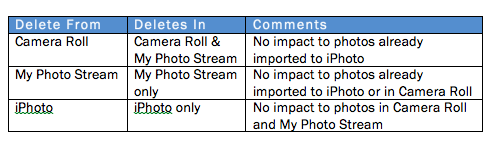
As The Deletist, I also experimented with deleting photos.  Please note: this table is only accurate when you’re hooked up to wi-fi all the time.

iPhoto, My Photo Stream, Camera Roll - what gets deleted where.

iPhoto, My Photo Stream, Camera Roll – what gets deleted where.

*In order to use My Photo Stream, you will need to:

Stay tuned for my next posting documenting my actual experiences using My Photo Stream to sync photos between my iPad and MacBook.

Destination: Galapagos Islands

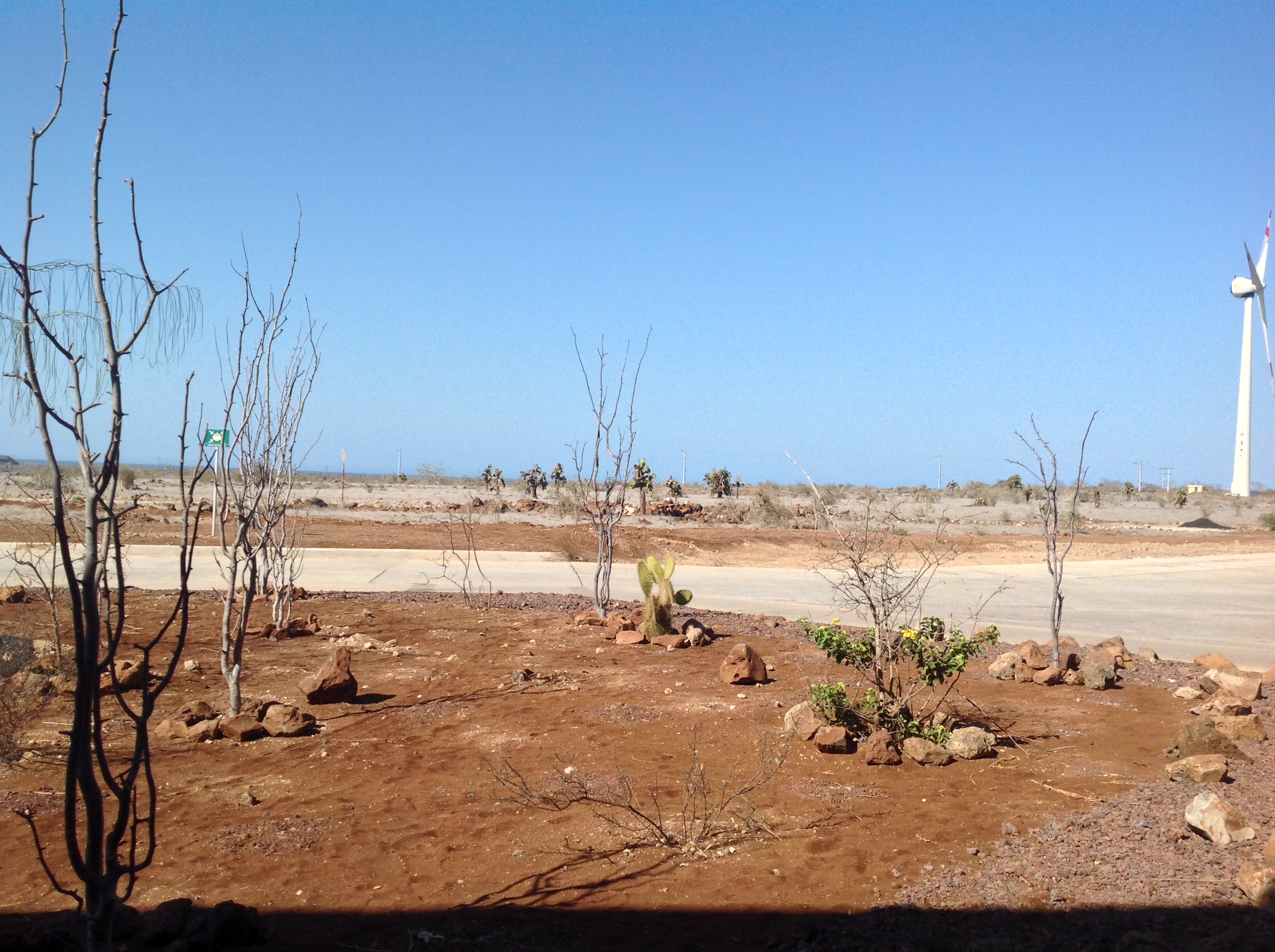
We left Quito early in the morning and headed for the airport. Several hours later we landed in the Galapagos Islands on Baltra Island, which I found out later used to be a US Military Base. Who knew? Although I had spent some time researching the islands before the trip, I wasn’t prepared for the first sites of arid, dry land and cacti right outside of the airport.  Dry, dusty, and barren looking. This was the famed Galapagos Islands?

The scene directly outside the airport.

The scene directly outside the airport.

My impressions quickly changed by the time we reached the port. We were instantly greeted by a pelican swooping low to check us out. I could’ve almost touched him. In the water two sea lions kissed and frolicked. The water sparkled and gleamed a dozen different shades of blue and green.

We loaded up into a couple of pangas (zodiacs) and headed to the boat that would become our home for the next 7 days.  While we were eating lunch, the boat cruised over to Santa Cruz Island in preparation of our first excursion and a quick swim.

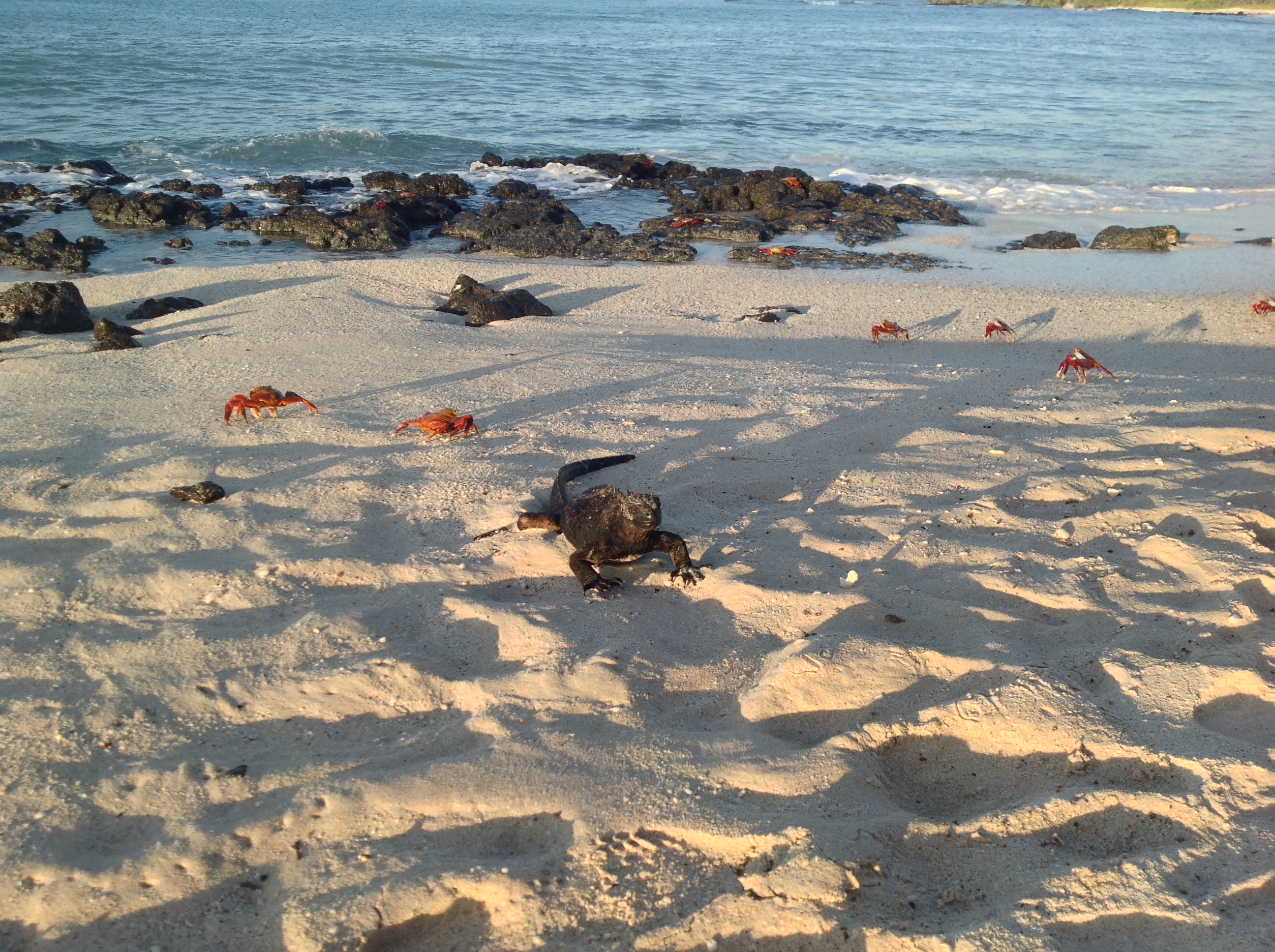
After lunch we loaded up in the pangas and headed to the shore for some sight seeing.  We had a wet landing and immediately saw Sally Lightfoot crabs and a marine iguana, both endemic species on the Galapagos Islands. Close by was a sea turtle nesting site where we could see the tracks left by these magnificent animals coming up on the shore to lay and bury their eggs.

A Marine Iguana and Sally Lightfoot crabs.  It was one of our first animal sightings so we all crowded around the poor iguana for pictures, but we ended up seeing hundreds of them throughout our stay.

A Marine Iguana and Sally Lightfoot crabs. It was one of our first animal sightings so we all crowded around the poor iguana for pictures, but we ended up seeing hundreds of them throughout our stay.

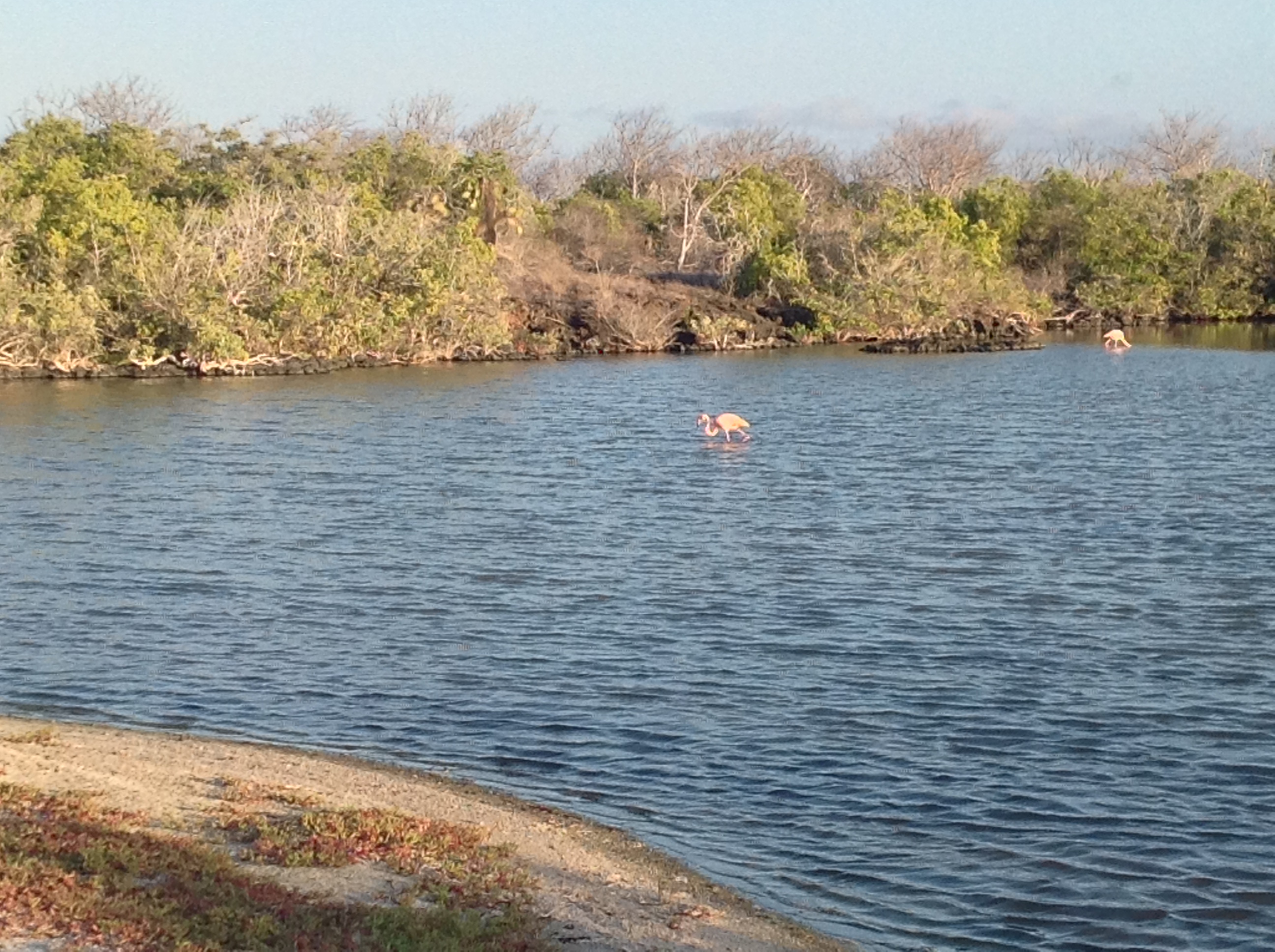
Beyond the beach was a small brackish lagoon with two pink flamingos peacefully eating their dinner in the warm, golden rays of sunshine. A variety of trees and plants lined the edge of the lagoon, many of which sported dry, spindly branches. It was the start of the rainy season and by April everything would be green and lush again.

Flamingos dining in a brackish lagoon.

Flamingos dining in a brackish lagoon.

Then I went for my first swim in the warm, salty water. Someone told me a pelican flew right over me, checking me out. I didn’t notice this time, but pretty much every time I was in the water swimming or snorkeling, a pelican would cruise over to investigate before scooting off to do something better with her time. The swim was short, but therapeutic. I returned to the boat refreshed and ready for the next day’s adventure where we traveled back in time.

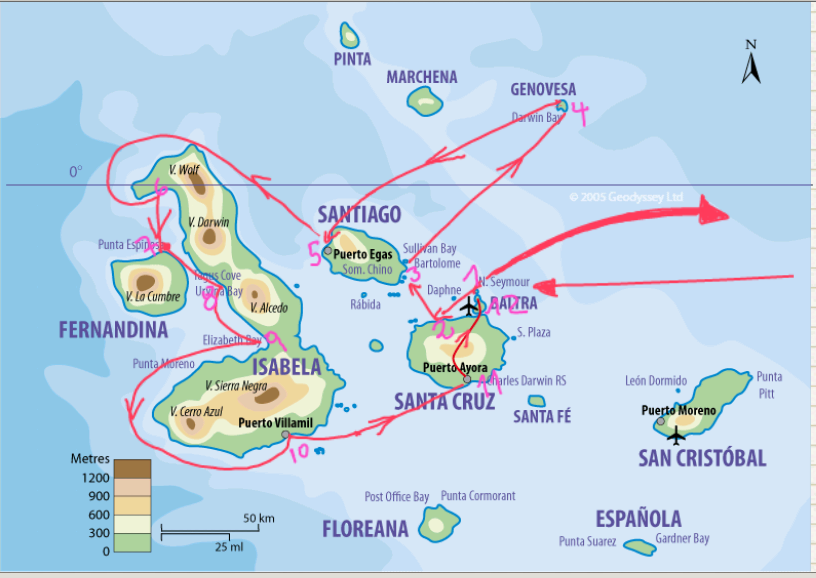
The route we took through the islands, numbered sequentially in the order in which we visited the spots.

The route we took through the islands, numbered sequentially in the order in which we visited the spots.

Burnbook

Burnbook is one of many new apps that allows people to anonymously post comments or pictures.  I blogged about similar apps, Secrets and Whispers, last year.  The difference with Burnbook is that it is restricted geographically to a local area determined by your GPS location.

What I find strange about Burnbook (and also Secrets, Whispers, and Yik-yak) is that all these apps are trying to build networks and communities with anonymous interactions.  What’s the point?  While researching Burnbook, I was mystified to discover that CEO/founder, Jonathan Lucas, developed the app in part because his sister had been bullied in school and he didn’t want people to feel the way she had.  “I wanted to create a place where people could feel safe being anonymous, but not having to worry about being harassed by others,” Lucas said.

After reading a couple articles about cyberbullying and threats happening on Burnbook, I went straight to the source.  I watched Mean Girls, a 2004 movie showing the inner workings of a popular high school girls’ clique, nicknamed “The Plastics.”  They keep a Burn Book, a handmade scrapbook with pictures of people they don’t like with a mean caption.  It’s 2004 so the Burn Book is paper.

The climax happens when one of The Plastics, feeling shunned by the others, decides to expose the Burn Book by giving it to the principal and by photocopying the pages and littering them around school grounds where others will find them.  What results is something close to mass hysteria and lots of hurt feelings.

If Lucas really wants a place where people could feel safe by being anonymous, why would he name the app after something that is associated, at least in the movie, with bullying, cruelty, and being mean?

No doubt everybody will be looking for somebody to blame about all the cyberbullying and threats that have been posted through Burnbook.  Who is ultimately responsible for people using these apps in what might be considered inappropriate ways?  Parents of children?  Creators of apps?  The kids themselves? The app is for 17+, but is obviously used by children under 17.

Additionally, some forums just don’t translate well into the digital realm.  The damage caused in the movie by spreading around photocopies of the Burn Book was likely short lived and easy to remove all traces.  It’s not so easy to get rid of things, even anonymously posted comments, when they’re done digitally.

Digital Scrapbooking

I love making scrapbooks, but until now I’d always done them the old-fashioned way with printed pictures, other items I wanted to include, glue & scissors.  I recently finished my first digital scrapbook and opted to get a printed version (see below).  While constructing the digital one, I kept comparing the pre- and post-digital process, feeling frustrated at times by some of the differences.

The printed version came out great, despite some of my frustrations. One friend remarked that it looked like a Taschen coffee table book.

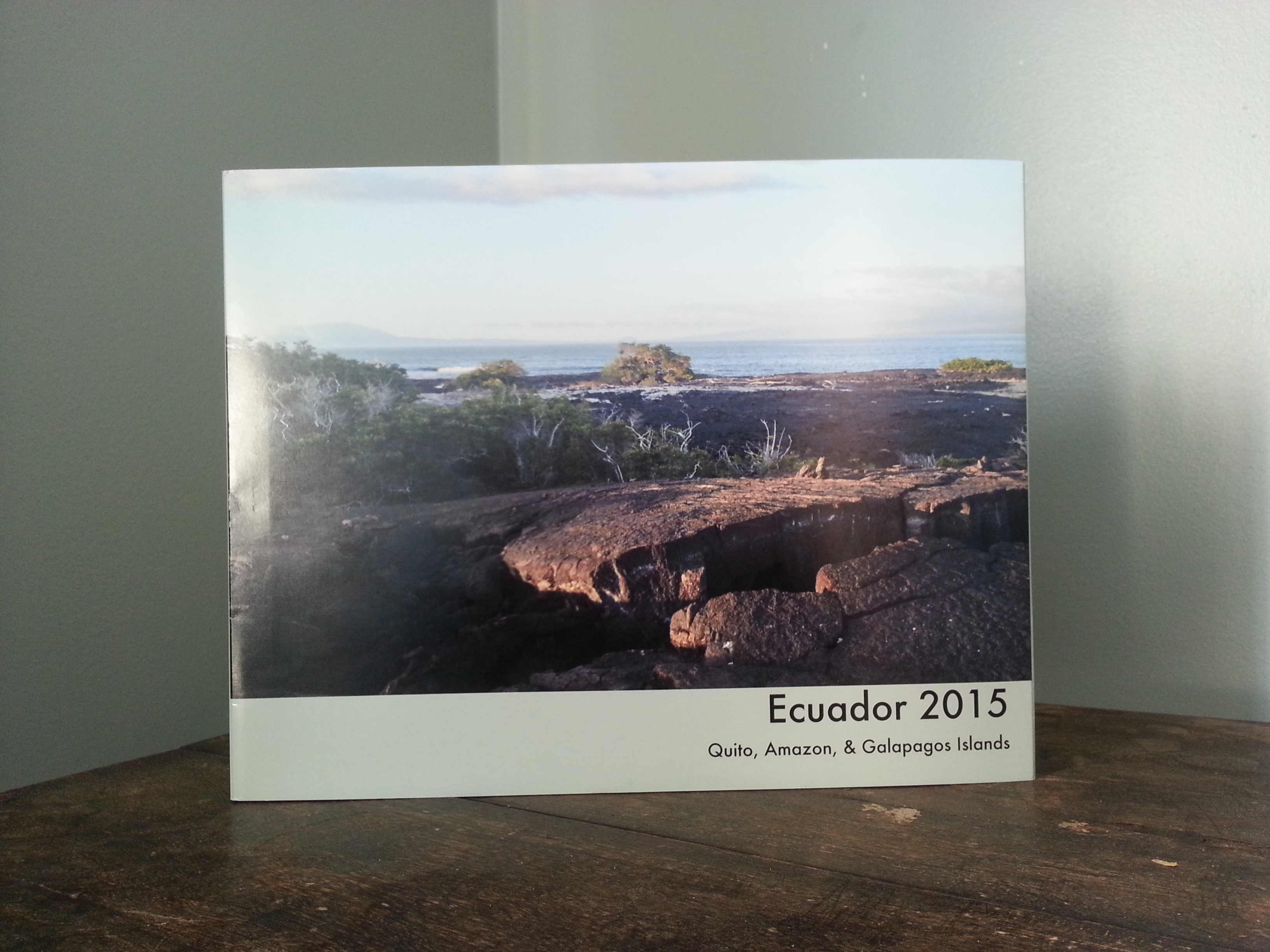
The printed "coffee table" version.
The printed “coffee table” version.

I enjoy being able to use my hands when constructing a physical scrapbook.  I know this also means it’s messy, involves glue, annoying little paper scraps, and careful planning.  But I like being able to mix different types of textures and make collages out of different materials.  I wasn’t able to replicate this easily with the digital scrapbook.  Additionally, I often prefer working with paper instead of being tethered to the screen, especially for late night scrapbooking sessions.

On the digital side, I enjoyed how easy it was to change things.  A few mouse clicks easily performed tasks such as adding another page, changing photos from one page to another, or even adjusting size.  These types of changes can be challenging with a physical scrapbook, especially if the glue is dry and you didn’t plan things out properly.

Another perk of digital scrapbooking was being able to add in typewritten text on any page.  In a physical scrapbook adding in typewritten text has a lot of steps. I have to create a document on my computer, print it out and then cut it to fit the page.  It’s a lot of steps and also requires careful planning.  Whereas the digital scrapbook allowed me to be more spontaneous about where to place text.

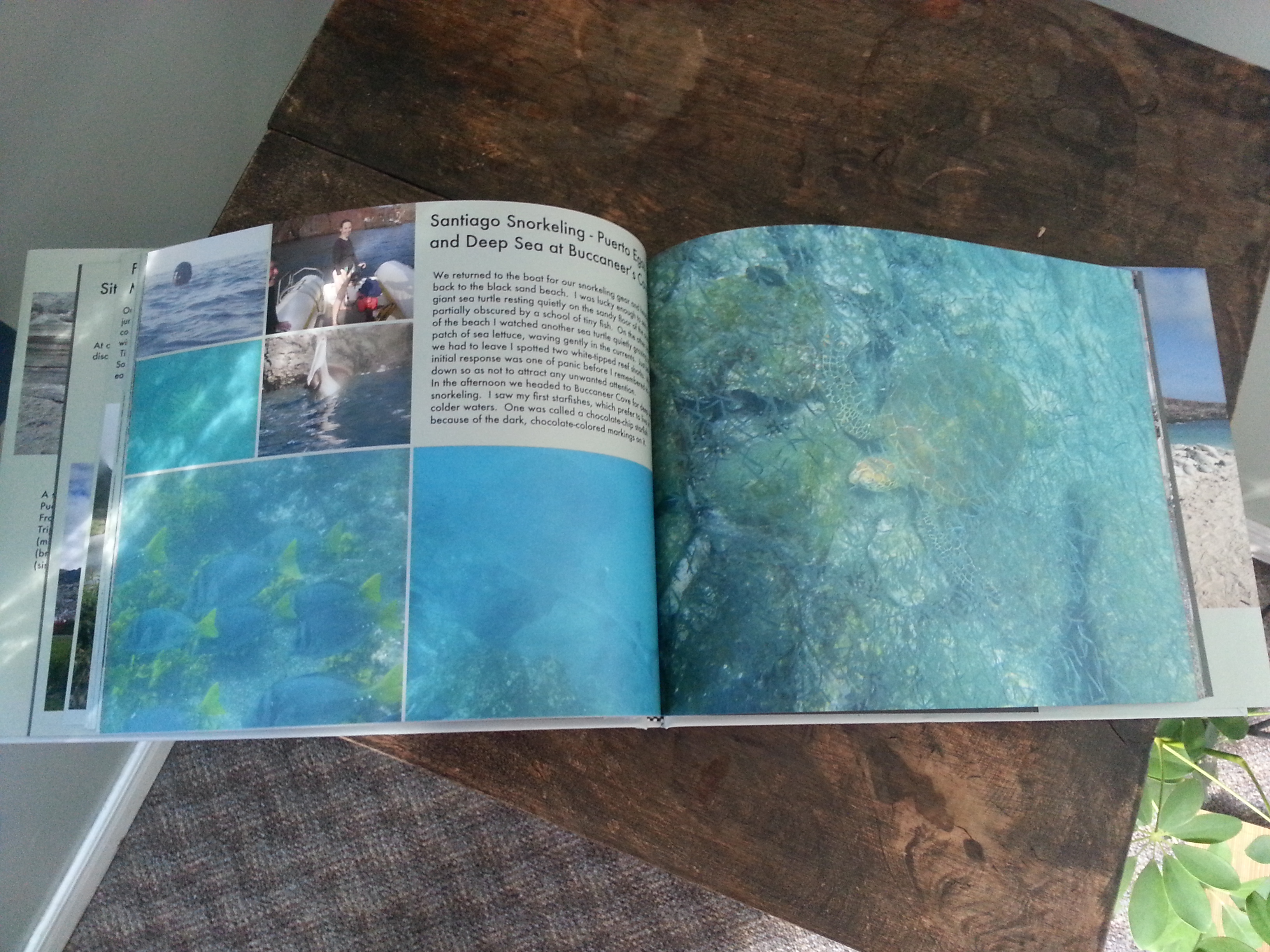
A view inside the scrapbook.

The printed digital scrapbook looks awesome, but every page feels identical. With a physical scrapbook it’s much easier to include ticket stubs, brochures, maps, pamphlets, postcards, etc. Each added item offers different textures to experience and can accommodate booklets or other items like pamphlets that open up.  This can be somewhat accomplished with a digital scrapbook by scanning in all the items and pages, saving them in a pdf or jpg format and then uploading them into the scrapbook.  But it’s not the same.

I’m definitely going to keep making digital scrapbooks, but I think it’s interesting to observe how many differences there are between the two methods.

Lagoons & Lookouts

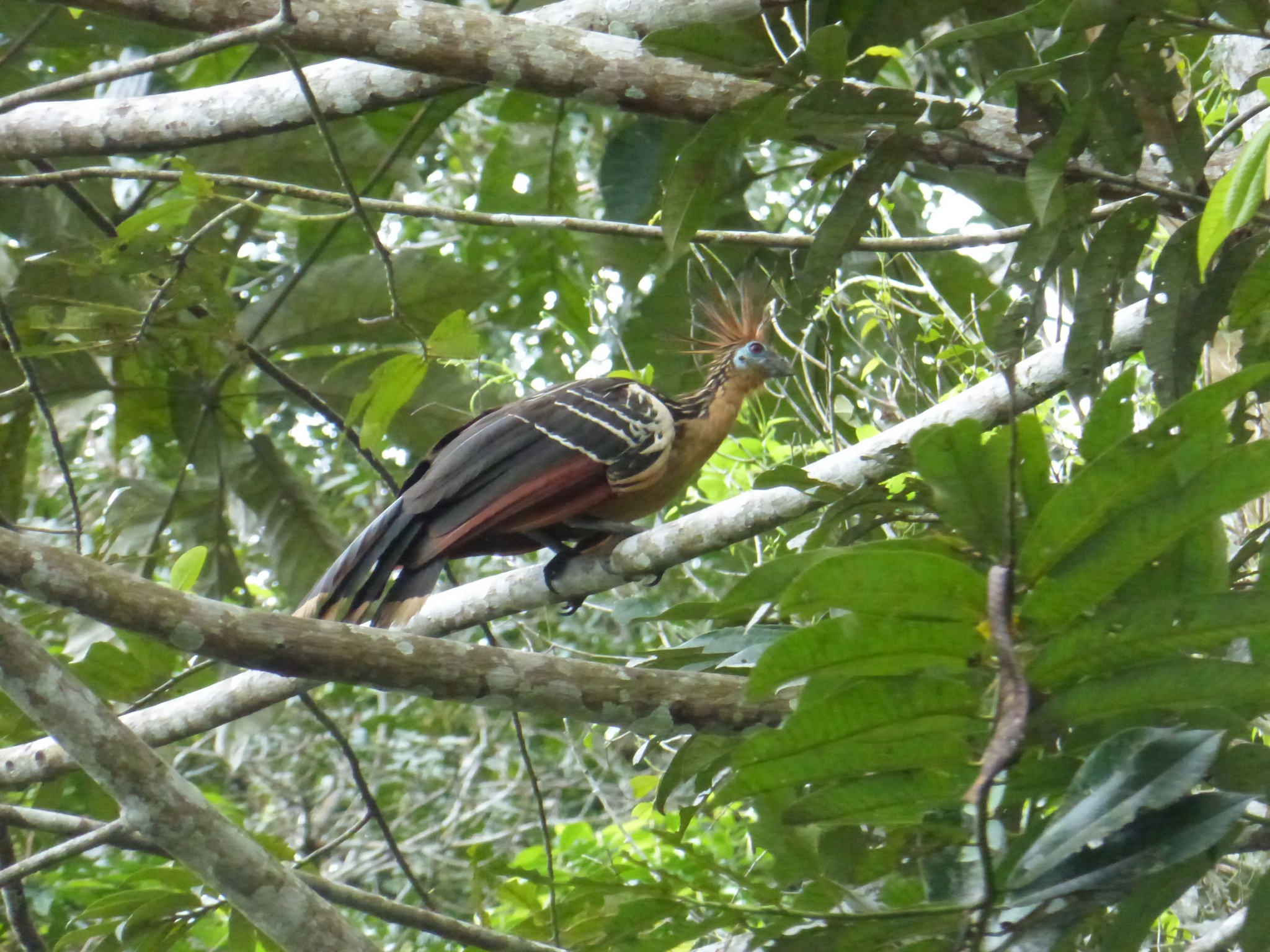
Early the next morning we headed back to the same lagoon we had visited in darkness. It was pretty neat to see the lagoon in the light of day.  Birds were singing and flying around everywhere. The Hoatzin, pictured below, didn’t even seem real or like it should be from this era.  It looked prehistoric and wild to me.

This bird is called a Hoatzin.   They were hanging around in the trees surrounding the lagoon.

This bird is called a Hoatzin. They were hanging around in the trees surrounding the lagoon.

After the canoe ride, we hiked around the lagoon to a rickety lookout that we scrambled up, restricted to 6 people at a time, to get a different perspective of the terrain. Along the hike we saw a Conga Bullet Ant, which is a huge black ant whose bite leaves you with paralysis and a fever, but won’t kill you.

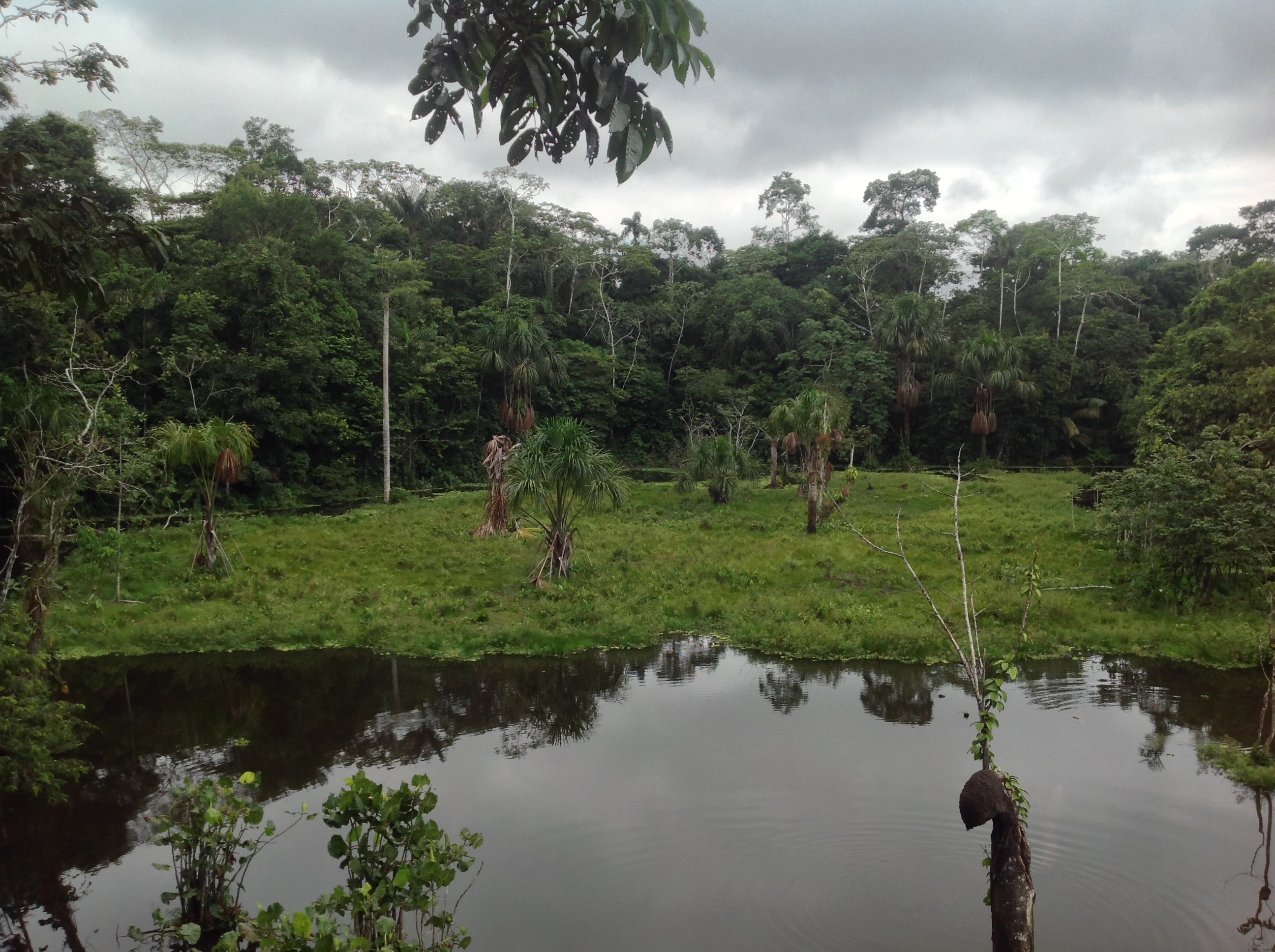
View of the lagoon from the rickety lookout.

View of the lagoon from the rickety lookout.

When we returned we attended a live basket weaving demonstration by one of the guides. Of course we had to prepare the materials by ripping strips of bark off of a Toquilla plant stalk. Getting a nice even strip was harder than it looked. During the demonstration I spotted the first toucans in the trees. They were multi-banded aracaris. Unfortunately they were too far away for photos, but watching them with binoculars was pretty amazing.

Following lunch we learned how to prepare chocolate from roasted cacao beans. We had to shell the beans before processing them through an old-fashioned hand grinder three times to make a soft, silky cocoa paste. Pretty delicious.

Then we left for an afternoon hike to another lookout to learn more about the plants and to search for more animals.The air felt moist and humid.  Everything around me was buzzing with energy and life, although I was too dense to actually see most of the animal activity, even when it was right in front of me.  One of our guides captured a poison dart frog by trapping it between some leaves or I probably wouldn’t have seen anything.

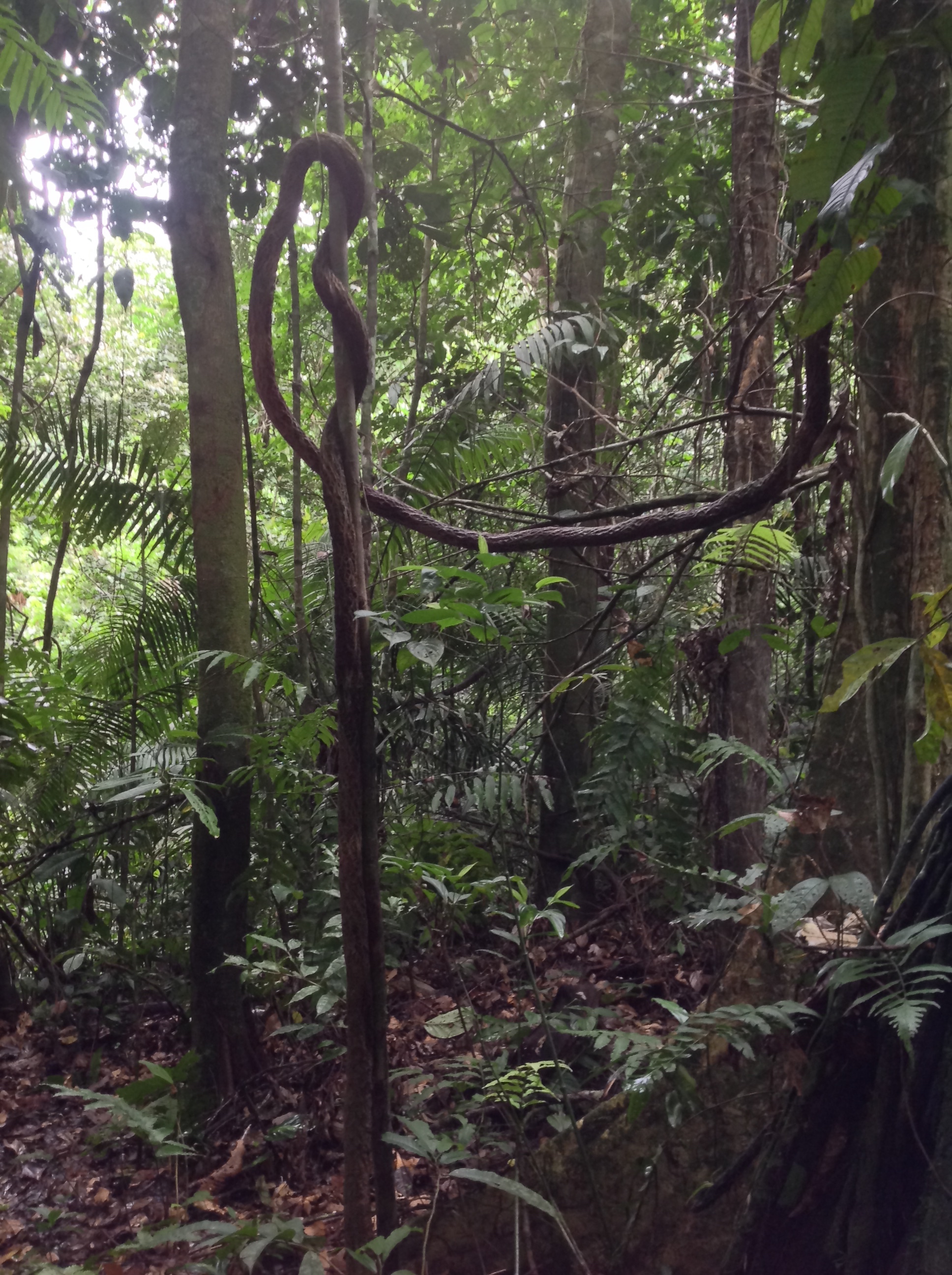
Everything in the jungle is built for survival, in whatever way it can find.

Everything in the jungle is built for survival, in whatever way it can find.

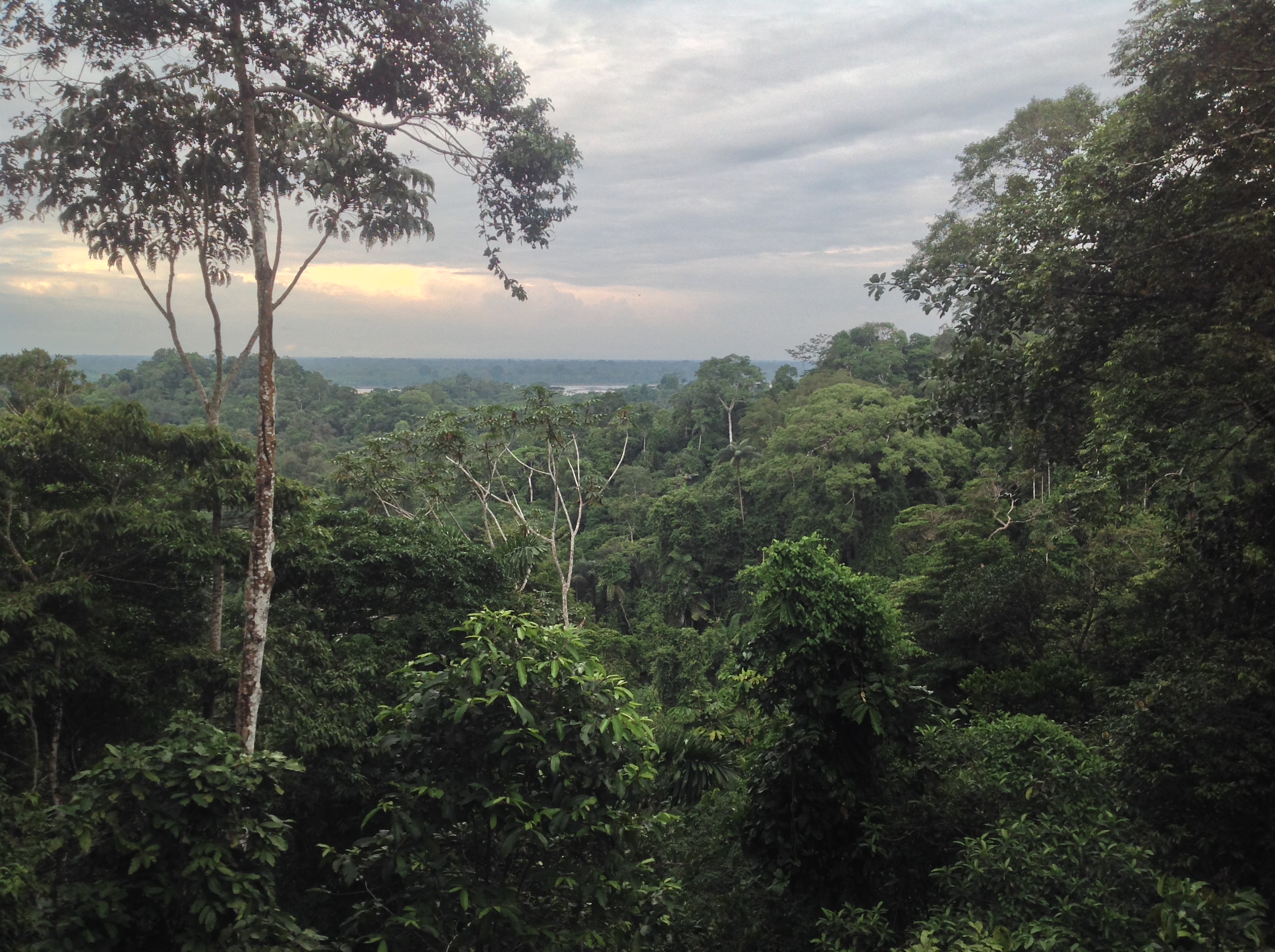
The afternoon lookout was similar to the one from the morning, rickety and high, but the views were pretty incredible.

Another stunning view of the jungle.

Another stunning view of the jungle.